Frontend Application Overview
The NMT frontend is a Next.js 16 web application that provides the user interface for portfolio management, DeFi strategy execution, and analytics.
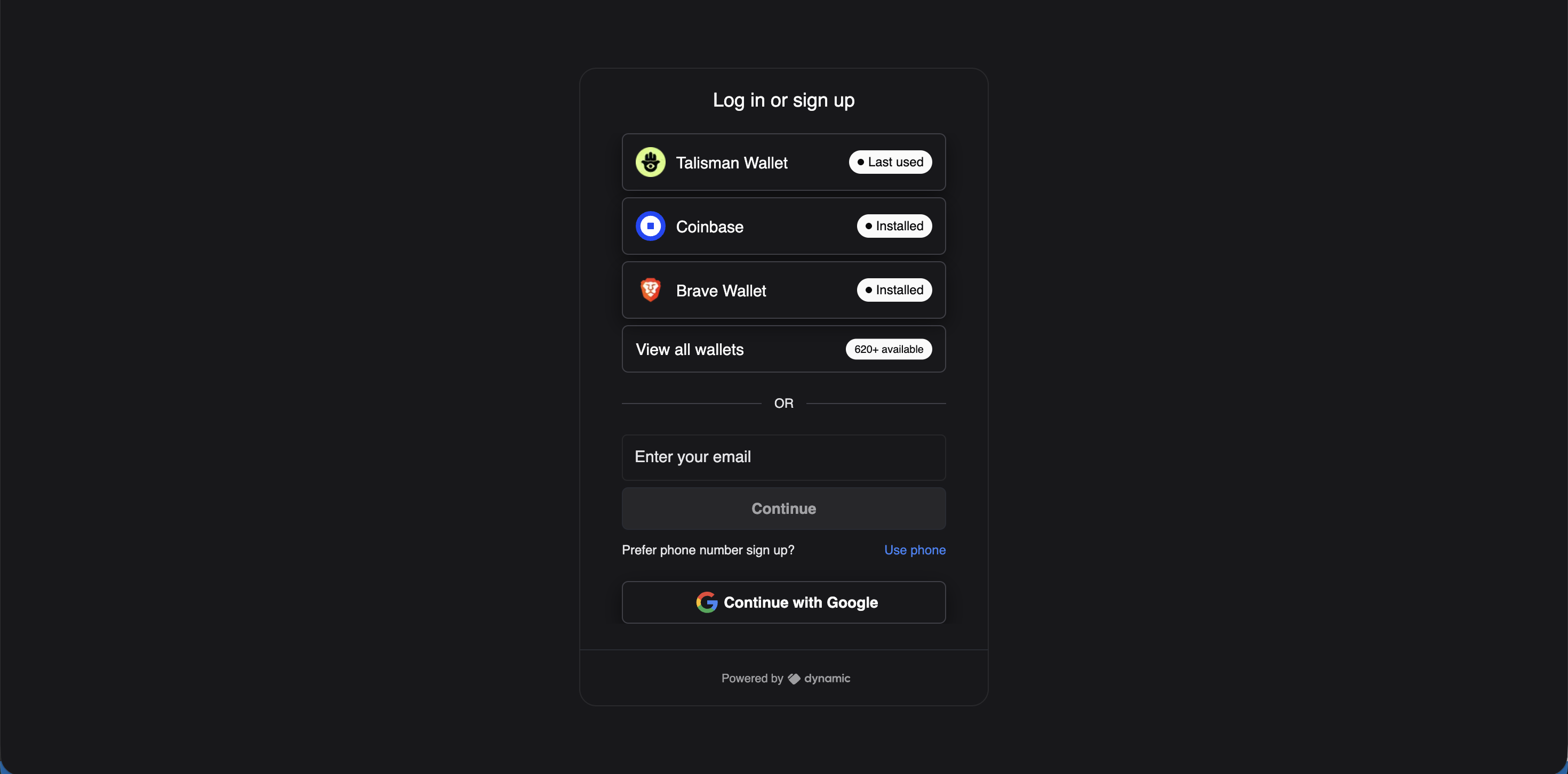 Authentication supports browser wallets (Talisman, Coinbase, Brave), email, phone, and Google sign-in via Dynamic Labs.
Tech Stack
| Component | Technology | Version |
|---|---|---|
| Framework | Next.js (App Router) | 16.1.0 |
| UI Library | React | 19.2.3 |
| Language | TypeScript | 5.9.3 |
| Node.js | Required | ^22.0.0 |
| CSS | Tailwind CSS | 4 |
| Database ORM | Prisma | 6.13.0 |
| Blockchain | Viem + Ethers | 2.31.7 / 6.x |
| Wallet Auth | Dynamic Labs | 4.52.1 |
| Data Fetching | SWR | 2.3.3 |
| Charts | Recharts | 2.15.3 |
| E2E Testing | Playwright | (see testing docs) |
What It Does
The frontend is where users:
- Connect their wallet via Dynamic Labs (supports MetaMask, WalletConnect, etc.)
- Create or manage Smart Wallets (Gnosis Safes)
- Browse yield opportunities across all supported DeFi protocols
- Execute transactions — deposit, withdraw, swap, rebalance
- Track their portfolio — positions, P&L, historical performance
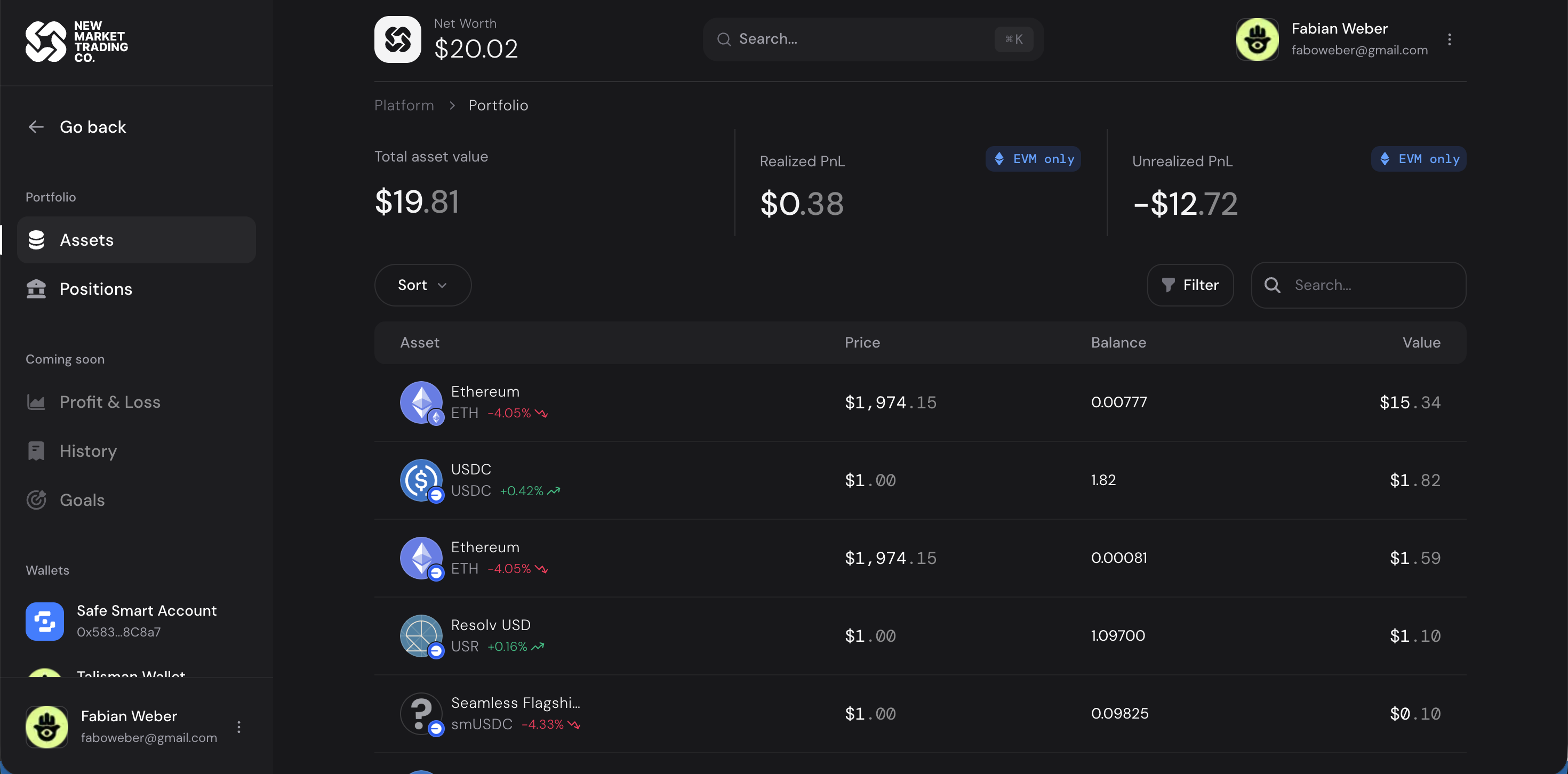 The portfolio view showing token balances, prices, and P&L across all connected wallets.
- Set goals and track progress toward investment targets
Key Features at a Glance
| Feature | Description |
|---|---|
| Earn | Browse and filter pools by APY, protocol, chain |
| Delegations | Grant and manage permissions for operators |
| Transact | Execute deposits, withdrawals, and swaps |
| Analysis | Portfolio performance dashboards |
| P&L | Profit and loss tracking |
| Goals | Set and track investment targets |
| Permissions | ABAC permission system for app-level and safe-level access control |
| Admin | Platform management for administrators |
Project Location
All frontend code lives in frontend-app/:
frontend-app/
├── src/
│   ├── app/              # Next.js pages and API routes
│   ├── features/         # Business logic modules
│   ├── lib/              # DeFi protocol adapters
│   ├── components/       # Reusable UI components
│   └── types/            # TypeScript type definitions
├── prisma/               # Database schema and migrations
├── public/               # Static assets
├── package.json
└── next.config.ts
Quick Commands
| Command | What It Does |
|---|---|
npm run dev |
Start development server |
npm run build |
Production build |
npm run test |
Run Vitest test suite |
npm run typecheck |
TypeScript type checking |
npx prisma generate |
Generate Prisma client |
npx prisma db push |
Push schema changes to DB |